
Download Records – Personal Database Organizer, Custom Forms & Templates
Overview of Records
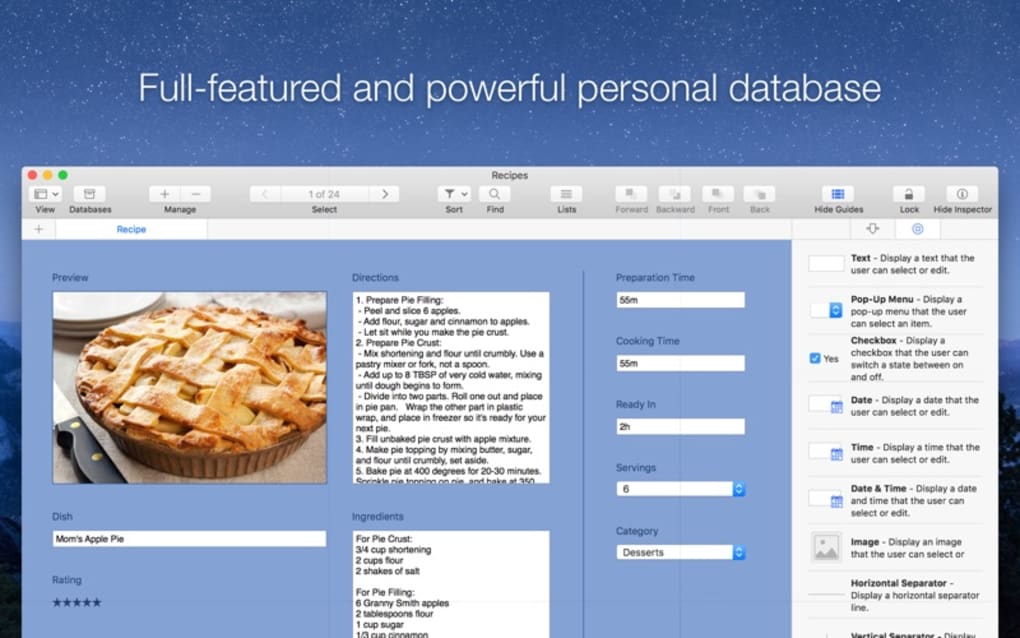
Records is a lightweight yet powerful personal database and organizer designed for anyone who wants to keep track of information without the steep learning curve of traditional spreadsheet or database software. Whether you need to catalog your favorite movies, store customer invoices, manage a small inventory, or simply keep a list of contacts, Records offers a clean, intuitive interface that lets you create, edit, and retrieve data in seconds. The app’s biggest strength lies in its balance between flexibility and simplicity – it provides over 30 ready‑made templates that jump‑start your workflow, while also allowing you to design fully custom forms with more than 17 field types, including images, URLs, phone numbers, and star ratings.
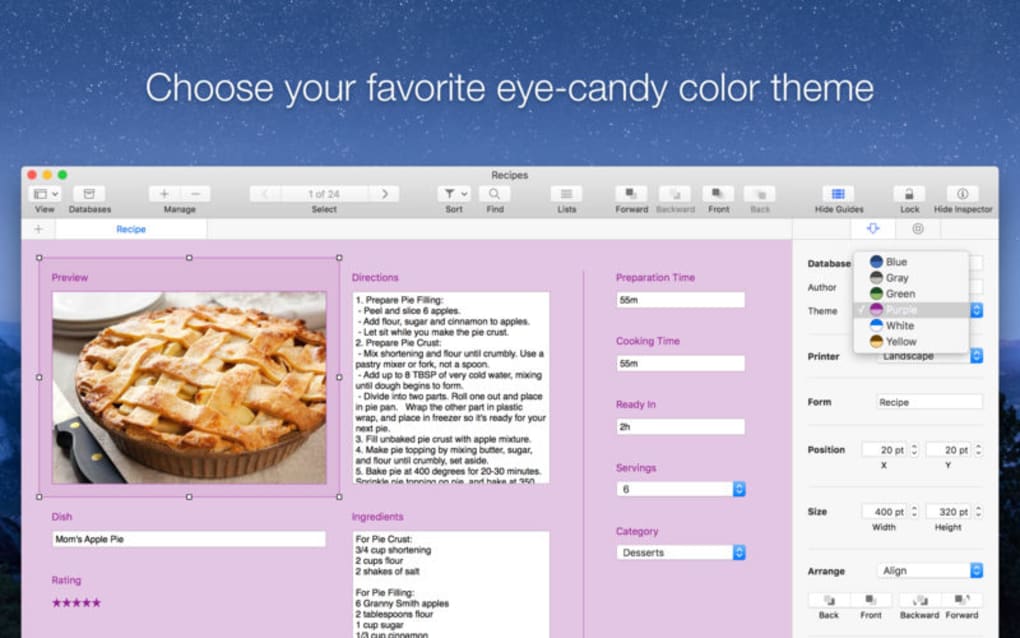
The built‑in canvas editor lets you drag, drop, and align elements with precision, thanks to robust alignment guides that ensure your forms look polished on any device. Because Records is built with cross‑platform compatibility in mind, you can download it on Windows, macOS, Android, or iOS and enjoy a seamless experience whether you’re at a desk or on the go. Security is baked in; all data is stored locally or synced to your preferred cloud service with end‑to‑end encryption, giving you peace of mind that your personal information stays private.
Frequent updates add new templates, field options, and UI refinements, ensuring the tool stays current with modern productivity trends. In short, Records turns the traditionally complex task of database creation into a user‑friendly, customizable, and secure solution for both casual users and power users alike.
Key Features That Make Records Stand Out
- 30+ Ready‑Made Templates: Start instantly with pre‑configured layouts for movies, invoices, contacts, recipes, and more.
- 17 Fully Customizable Form Fields: Add text, numbers, dates, images, URLs, phone contacts, rating stars, checkboxes, and dropdowns.
- Canvas Editor with Alignment Guides: Drag‑and‑drop fields, snap to guides, and preview the design in real time.
- Cross‑Platform Support: Native apps for Windows, macOS, Android, and iOS ensure you can access your data anywhere.
- Secure Local & Cloud Storage: Choose between encrypted local files or sync with Google Drive, Dropbox, or OneDrive.
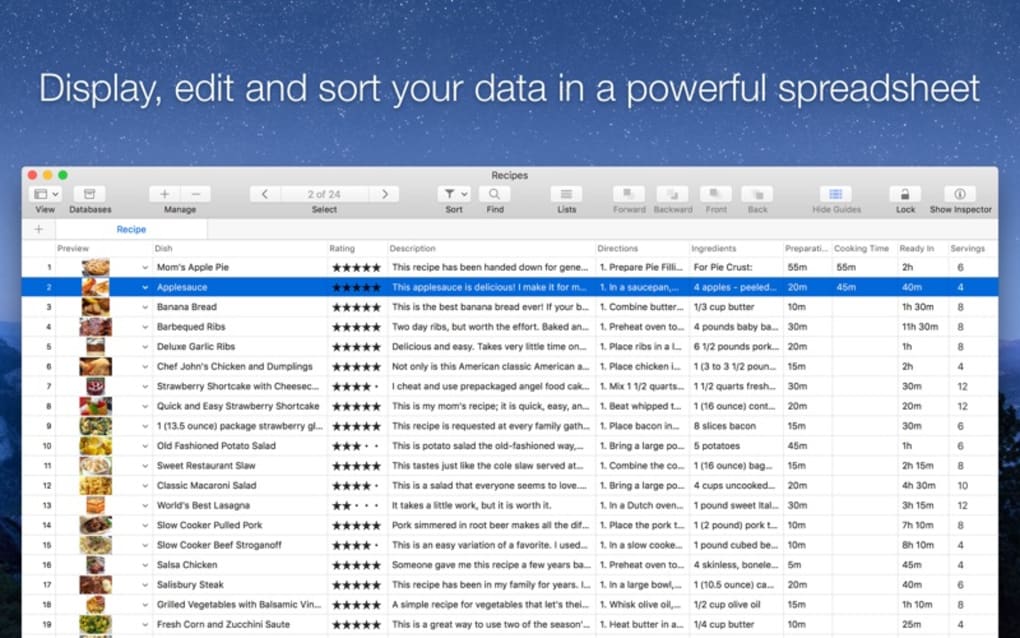
- Search & Filter Engine: Instant keyword search, tag‑based filtering, and custom query options for quick data retrieval.
- Export & Import Options: Export records to CSV, JSON, or PDF; import existing spreadsheets with auto‑mapping.
- Multi‑User Collaboration: Share databases with teammates, assign edit permissions, and track changes via version history.
- Auto‑Update Scheduler: Set automatic backups and schedule periodic updates to keep the app secure.
- Dark Mode & Accessibility: High‑contrast themes and screen‑reader support for inclusive usage.
The combination of these features means you can build a personal knowledge base that is as simple or as complex as you need. For example, a freelance photographer can use a template to log client contracts, embed sample images, and attach payment status, while a movie enthusiast can rate films, add trailer URLs, and sort by genre. The flexibility of the canvas editor also allows you to create a unique branding style for your business forms, ensuring every document looks professional without hiring a designer. Because the app is continuously updated, new field types (like QR code scanning) and integration shortcuts (e.g., Zapier, IFTTT) are added regularly, keeping Records relevant for evolving workflow needs. Whether you’re building a one‑off list or a multi‑user database, Records provides the tools to stay organized, productive, and secure.
Installation, Setup, and Compatibility
Getting started with Records is straightforward. Visit the official website or your device’s app store, click “Download,” and follow the guided installer. The Windows version includes a standard .exe installer that checks for required .NET components and prompts you to install them if missing. macOS users receive a signed .dmg file that integrates with Gatekeeper for a smooth install experience. Android and iOS users can download the app from Google Play or the Apple App Store, respectively; both mobile versions support automatic background updates.
Step‑by‑step installation:
1. Download the installer: Choose the appropriate version for Windows, macOS, Android, or iOS.
2. Run the installer: On desktop, double‑click the file and follow the on‑screen prompts.
On
mobile, tap “Install” and grant necessary permissions (storage, camera for image fields).
3. Create your first database: Launch Records, select “New Database,” and pick a template or start
from scratch.
4. Customize your form: Use the canvas editor to add fields, rearrange layout, and apply your
branding colors.
5.
Sync or backup: Open Settings → Cloud Sync, choose a provider, and enable encryption.
Records runs on the following operating systems: Windows 10 and later, macOS 10.14 (Mojave) and later, Android 8.0+ (Oreo) and iOS 13+. The app is optimized for both 64‑bit desktops and ARM‑based mobile devices, ensuring smooth performance even with large datasets. Minimum system requirements are modest: 2 GB RAM, 200 MB free disk space, and a modern graphics driver for the canvas editor. For power users handling thousands of records, a solid‑state drive (SSD) and at least 4 GB RAM are recommended for faster load times.
Once installed, Records offers a quick‑start tutorial that walks you through creating a database, adding fields, and exporting data. The tutorial can be replayed from the Help menu at any time. If you encounter any issues, the built‑in support chat connects you with the development team, and a comprehensive online knowledge base provides step‑by‑step troubleshooting guides. Overall, the installation process is designed to be frictionless, letting you focus on organizing your information rather than wrestling with configuration settings.
Pros and Cons of Using Records
Advantages
- Intuitive UI that requires virtually no training.
- Extensive template library accelerates setup for common use‑cases.
- Highly customizable form fields and canvas editor for unique designs.
- Cross‑platform availability ensures data is accessible everywhere.
- Secure local storage with optional encrypted cloud sync.
- Robust search, filter, and export functions for data analysis.
- Regular free updates add new features without extra cost.
- Collaboration tools make it suitable for small teams.
Limitations
- Advanced database relations (e.g., one‑to‑many) are limited compared to full‑blown DBMS.
- No built‑in scripting or macro language for automation beyond Zapier/IFTTT integrations.
- Mobile UI, while functional, lacks some desktop‑only layout precision.
- Large datasets (>50,000 records) may experience slower load times on low‑end hardware.
- Free tier includes a modest storage limit; premium subscription required for unlimited cloud sync.
Frequently Asked Questions
Can I import existing spreadsheets into Records?
Yes. Records supports CSV and Excel imports. During the import wizard you can map each column to a corresponding field type, and the app will automatically create records based on your data.
Is my data encrypted when I use cloud sync?
All cloud sync operations use end‑to‑end AES‑256 encryption. Your encryption key is stored locally on your device, so only you can decrypt the data.
Can multiple users edit the same database simultaneously?
Records includes real‑time collaboration for up to 5 users on the same database. Changes are synced instantly, and version history lets you revert to earlier states if needed.
Do I need an internet connection to use Records?
No. All core functionality works offline. Internet is only required for cloud sync, automatic updates, and accessing the online help center.
What is the pricing model for the premium features?
Records offers a free tier with basic storage. The premium subscription costs $9.99 per month (or $99 per year) and unlocks unlimited cloud sync, advanced export formats, and priority support.
Final Verdict and How to Get Started
Records delivers a compelling blend of simplicity and power, making it an excellent choice for anyone who needs a personal or small‑team database without the overhead of enterprise solutions. Its extensive template library, customizable canvas editor, and cross‑platform support mean you can build a tailored organizer in minutes and scale it as your needs grow. While it lacks some deep relational database features, the trade‑off is a cleaner user experience and faster onboarding. Security‑first design, regular free updates, and a reasonable premium pricing plan further enhance its value proposition. If you’ve been juggling notes, spreadsheets, and scattered files, Records offers a unified, secure hub that keeps everything searchable and exportable.
Ready to simplify your data management? Download Records now and start building your first database today. Experience the freedom of a fully customizable organizer that works on Windows, macOS, Android, and iOS – all while keeping your information private and instantly accessible.







